
A website redesign feels exciting. New visuals, a cleaner layout, maybe a complete structural overhaul – the promise of a fresh start is genuinely appealing. Yet that excitement has a way of overshadowing the disciplined thinking a redesign actually demands, and the results can be quietly damaging.
Research from Info-Tech Research Group reveals that up to roughly four in five website redesigns fail to deliver tangible business value, largely due to misalignment between organizational capabilities and user expectations. That figure should give any team pause before they move a single pixel. The five errors below tend to appear again and again, across industries and company sizes, and knowing them upfront is genuinely half the battle.
Error 1: Redesigning Without Clear, Measurable Goals

Error 1: Redesigning Without Clear, Measurable Goals (Image Credits: Unsplash)
Redesigning a website without clear goals is one of the most common and costly mistakes. Vague motivations like "wanting a new visual aesthetic" or "redesigning because it has been a few years since the last one" simply don't hold up as a strategic foundation. Goals need to be specific and tied to measurable outcomes – more leads, faster load times, higher conversion rates, or improved mobile engagement.
In the short term, failing to set proper goals leads to a disorganized redesign process that tends to drift based on whoever has the loudest voice in the room. Before a single wireframe gets drawn, teams should define a primary KPI and build the entire project around it. Success isn't measured by launching on time; it's measured by ROI, and identifying that primary metric before work begins is non-negotiable.
Error 2: Ignoring Existing Analytics and User Data

Error 2: Ignoring Existing Analytics and User Data (Image Credits: Unsplash)
Companies frequently commit the error of redesigning without conducting thorough user research or analyzing existing website analytics, which leads to decisions based on subjective preferences rather than data-driven insights. This is a surprisingly easy trap to fall into. It feels faster to start fresh than to sit with data, but that data is telling a story worth hearing.
Using subjective information instead of detailed analytics to make decisions on a website redesign can quickly result in a site that isn't optimized for performance. Your website analytics provide a data goldmine, allowing you to analyze which pages convert and which see engagement drop off. Heatmaps, session recordings, and traffic-source breakdowns are all readily available tools. Skipping them isn't bold – it's just expensive.
Error 3: Treating SEO as an Afterthought

Error 3: Treating SEO as an Afterthought (Image Credits: Pexels)
Concentrating on design aspects without planning for search engine optimization is a recipe for a ranking disaster, because a site builds authority and positive SEO practices over time, and a poorly executed redesign can undo this overnight. This happens more often than it should. A redesign often involves changing URL structures, removing pages, and reorganizing navigation – all of which carry significant SEO consequences if handled carelessly.
A reworked sitemap, for instance, can cause broken redirects, changed URLs, and lost content that previously ranked well. Performance audits reveal that a substantial share of enterprise-level brands suffer a meaningful drop in organic traffic within the first 90 days of a new launch, because most teams focus on visual polish while neglecting the technical safeguards required to protect search visibility. A full pre-launch SEO audit and a thorough 301 redirect map should be considered mandatory steps, not optional extras.
Error 4: Prioritizing Aesthetics Over Function

Error 4: Prioritizing Aesthetics Over Function (Image Credits: Unsplash)
Research from 2024 indicated that roughly three in four redesigns prioritize visual flair over functional performance, and this is the primary trap that derails otherwise well-intentioned projects. Beautiful design is not the problem. The problem is when beauty becomes the priority and usability becomes the casualty. A site can look stunning while quietly failing its users at every meaningful interaction point.
In a 2025 case study, a high-growth SaaS brand saw a meaningful decrease in trial sign-ups after a "sleek" redesign removed clear call-to-action buttons in favor of an abstract video background. The lesson is consistent: high-end visuals can actually hurt conversion rates if they aren't backed by data, and while a minimalist layout looks sophisticated, it can confuse users if the path to purchase isn't clear, because user experience must dictate form, not the other way around.
Error 5: Skipping User Testing Before Launch

Error 5: Skipping User Testing Before Launch (Image Credits: Pexels)
Launching a redesigned website without comprehensive testing is equivalent to opening a physical store without checking if the doors lock or the tills work. It's a surprisingly common shortcut, often driven by deadline pressure or budget constraints in the final stretch of a project. The cost of that shortcut, however, tends to arrive quickly and visibly.
Nielsen Norman Group research has established that testing with just five representative users can uncover approximately 85% of usability problems, making even small-scale testing highly effective. According to Cloudflare, nearly half of customers expect a webpage to load in two seconds or less, and a significant share will abandon a website that takes more than three seconds to load. Speed, form functionality, browser compatibility, and mobile responsiveness all need to be checked methodically – not optimistically assumed to be fine.
Why the Mobile Experience Deserves Its Own Attention

Why the Mobile Experience Deserves Its Own Attention (Image Credits: Pixabay)
With over half of all web traffic coming from mobile devices and Google prioritizing mobile-first indexing, having a mobile-friendly website isn't optional – if your site looks or works poorly on smartphones and tablets, users will leave quickly and your search rankings will suffer. This remains one of the most routinely underestimated dimensions of a redesign, particularly when the internal team does most of its work on desktop screens.
The classic mistake is redesigning a website on desktop and then adapting for mobile as an afterthought. Research shows that the vast majority of online consumers are less likely to return to a website after a bad experience, and a clunky mobile experience reliably qualifies as one. Mobile layout decisions should be made alongside desktop decisions throughout the process, not bolted on at the end.
The Hidden Cost of Neglecting Accessibility

The Hidden Cost of Neglecting Accessibility (Image Credits: Unsplash)
Treating accessibility like an afterthought is one of the most significant website design mistakes a team can make. During a redesign, the focus tends to land on visual refreshes and new features. Accessibility requirements – color contrast ratios, keyboard navigation, image alt text, and screen reader compatibility – rarely generate the same enthusiasm in design reviews, which is precisely why they get missed.
Color contrast issues alone were found on over roughly four in five homepages according to the WebAIM Million annual report. Accessibility has become an increasingly important part of building a brand, with the vast majority of U.S. businesses already having a digital accessibility policy in place and most viewing it as a competitive advantage. Ignoring it during a redesign doesn't just create legal risk – it tells a meaningful portion of your audience that the site wasn't built with them in mind.
The Danger of Removing Content That Was Actually Working
The Danger of Removing Content That Was Actually Working (Image Credits: Unsplash)
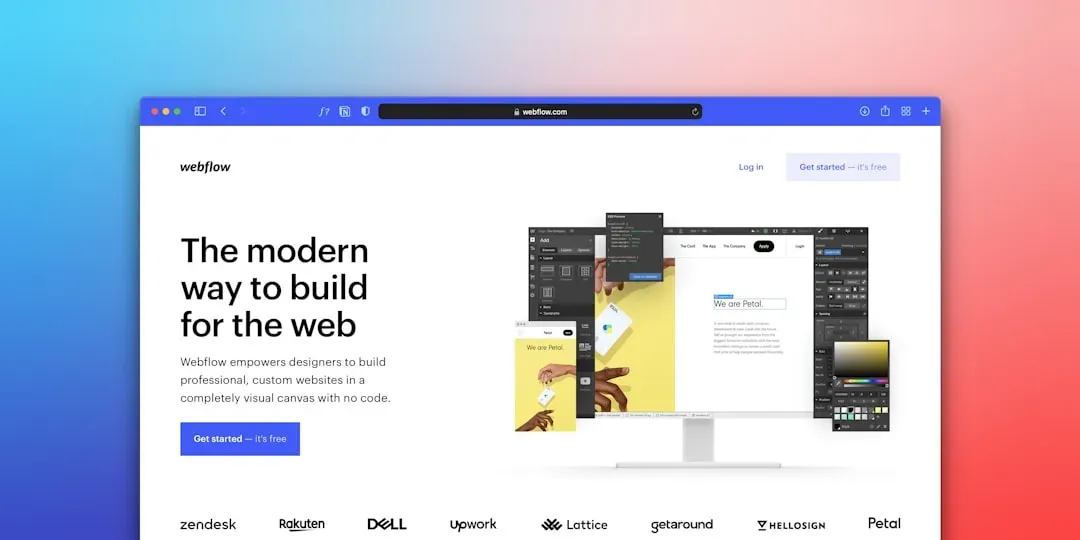
Perhaps the most fundamental mistake in website redesign is focusing on what your company wants to say rather than what your audience needs to hear. User-centered design is the difference between a website that serves your business goals and one that simply doesn't. Redesigns often involve editorial decisions about what stays and what goes, and those decisions are frequently driven by internal stakeholders rather than user behavior data.
One telling example: a client that increased overall traffic by over a fifth after a redesign still experienced a meaningful drop in qualified leads and longer sales cycles, because user research revealed that key technical content decision-makers needed had been removed during the redesign. Research also shows that more than a third of users will stop engaging with a website if the content or layout is unattractive or confusing – meaning the content strategy and the visual strategy need to be developed together, not in separate conversations.
What Good Pre-Redesign Preparation Actually Looks Like

What Good Pre-Redesign Preparation Actually Looks Like (Image Credits: Pixabay)
Most redesign failures stem from broken functionality rather than poor aesthetics, which is why defining success metrics before starting – establishing baseline performance data and measurable goals – consistently matters more than style decisions. Incremental, data-driven improvements also tend to outperform risky complete overhauls. A phased approach, where high-traffic pages are improved first and monitored carefully, reduces risk substantially compared to a full site swap on launch day.
A website redesign that follows a user-centered design approach can increase conversions by an average of roughly a quarter, because the improvement comes directly from aligning the site with actual user needs. That kind of gain is entirely achievable – but only when the preparation matches the ambition. The teams that treat research, testing, and goal-setting as foundational steps rather than checkboxes tend to be the ones whose redesigns actually deliver what was promised.